
To recharge your account and/or make auto payments you should go to the Customer Self Care portal https://customer.linkedip.com and login with your credentials. If you don't know or don't have credentials yet, request them at support@linkedip.com.
Once logged in the portal follow these steps:
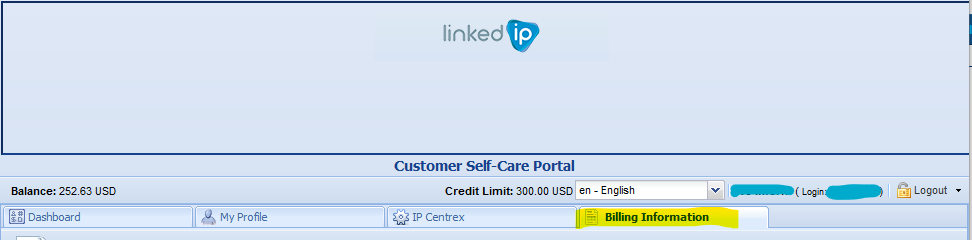
1. Go to the "Billing Information" tab higlihted in yellow in the image below
2. Choose option "Make a Payment" in the left menu of the Billing tab
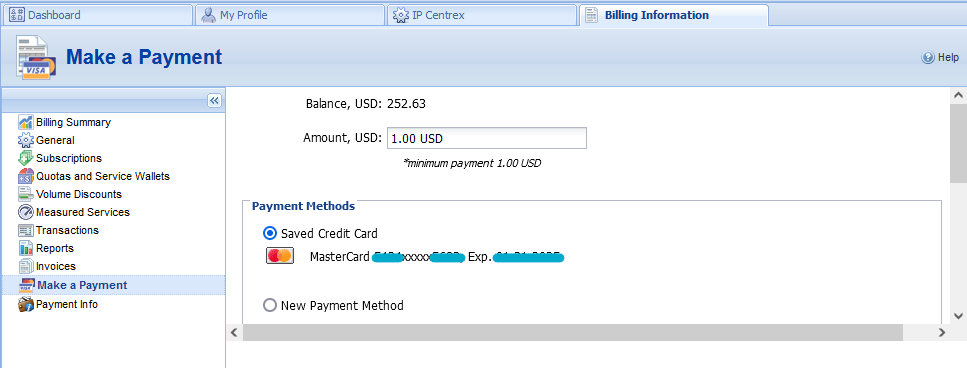
3. Below the Current due balance, you will see a field caller "Amount USD:" to set how much money you will be paying.
Also, in this section you will be able to see the first and last four credit card numbers if any credit card exists on file as well as its expiration date, you can choose it to make your payment or choose "New Payment Method" to make a payment with a different card.
4. When you have selected thecard or entered the new card information click in the Next button.
5. The portal will show the amount you are about to pay and the first and last four numbers as well as the expiration and franchise of the card you chose to make your payment
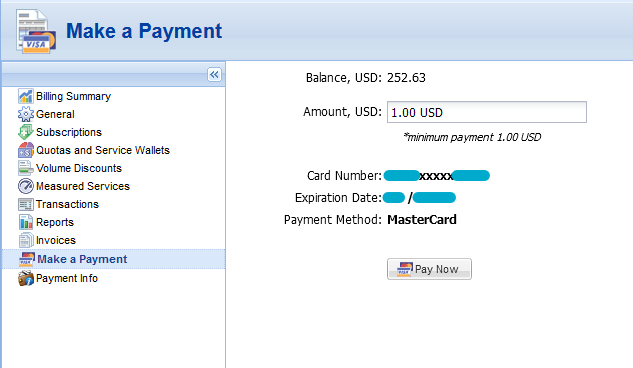
6. Finally, execute the payment by clicking the Pay Now button.
The payment will immediately reflect in your account if successful.
Comments
0 comments
Please sign in to leave a comment.