
To download the records of your accounts you just need to login with your credentials to https://customer.linkedip.com, if you still do not have credentials please request them to support@linkedip.com.
Once logged, please go to the Billing Information tab

In the Billing Information tab's menu, you can find the Reports section
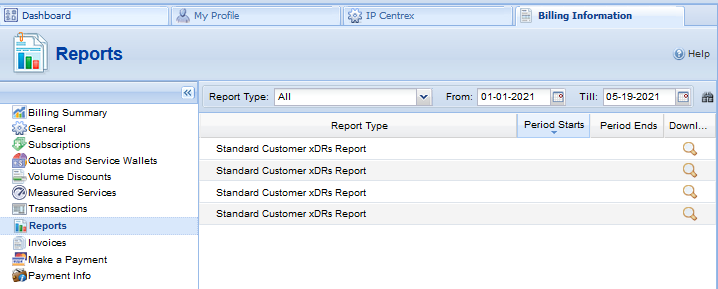
You will be able to see a list of "Standard Customer xDRs Report" that, by default, will belong to the last three months.
In the upper side of the list, there is a filter that will allow to set from and until which date you want to generate reports.

These reports can be downloaded by clicking on the maxifying glass at the end of each report's row in the download column  . They will be exported through your browser as CSV files.
Comments
0 comments
Please sign in to leave a comment.